
Note
Integrating ESLint to VS Code
A quick walkthrough for setting up ESLint in VS Code for JavaScript or TypeScript projects.

Steps on how to integrate ESLint in VS Code.
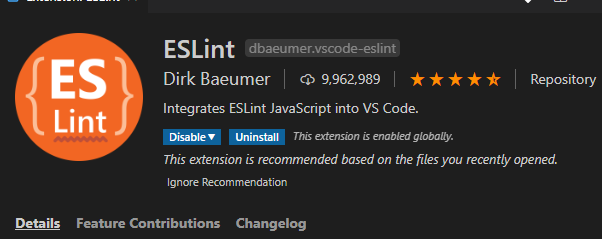
Before integration, install ESLint from the Extensions view inside VS Code. You can also install it from the Visual Studio Marketplace.
After installation, you will have a view like this:
Now open the terminal and install ESLint in the workspace:
npm install eslint
For a global install, append -g to the command. The next step is to initialize the linter:
eslint --init
The config will ask these questions during the init phase:
- How would you like to use ESLint? To check syntax and find problems
- What type of modules does your project use? esm (JavaScript module)
- Which framework does your project use? none
- Does your project use TypeScript? No or Yes
- Where does your code run? browser
- What format do you want your config file to be in? JSON
Those were the values I used for an Angular TypeScript project running in the browser.
Because this was my first install, the init step prompted me to add more dependencies:
Local ESLint installation not found.
The config that you've selected requires the following dependencies:

@typescript-eslint/eslint-plugin@latest @typescript-eslint/parser@latest eslint@latest
√ Would you like to install them now with npm? · No / Yes
Once I allowed the installation, npm added the dependencies and created a .eslintrc.json for me like this:
{
  "env": {
    "browser": true,
    "es2020": true
  },
  "extends": [
    "eslint:recommended",
    "plugin:@typescript-eslint/recommended"
  ],
  "parser": "@typescript-eslint/parser",
  "parserOptions": {
    "ecmaVersion": 11,
    "sourceType": "module"
  },
  "plugins": [
    "@typescript-eslint"
  ],
  "rules": {}
}
If you want to set more rules, visit the documentation.
Happy coding.